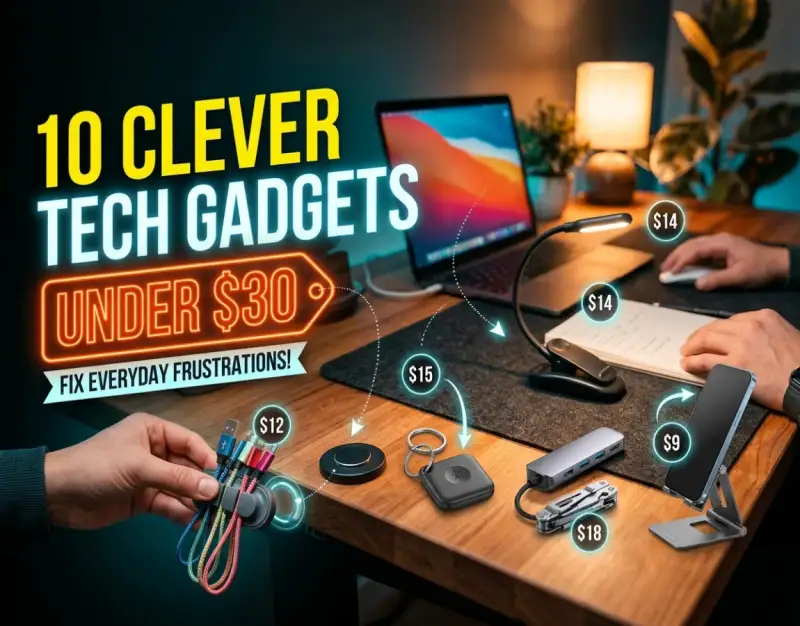
Modern life is a relentless sequence of micro-friction points. From tangled charging cables that turn into Gordian knots inside your backpack to the maddening static hum of dust-choked keyboard crevices, our daily environments are littered with minor annoyances that drain our cognitive energy. For decades, consumer technology marketing has conditioned us to believe that eliminating these friction points requires deep-pocketed investments—flagship smartphones, high-end automated home ecosystems, or luxury ergonomic workstations costing hundreds or thousands of dollars. Yet, a quiet revolution is taking place in the design labs of independent engineers and agile hardware startups, proving that hyper-targeted engineering does not need a massive price tag to be profoundly transformative.
The sweet spot of modern manufacturing sits comfortably under the thirty-dollar threshold. When deployed strategically, tech gadgets under 30 offer an astonishing return on investment in terms of time saved, posture corrected, and mental bandwidth preserved. These are not flimsy novelty toys destined for the landfill; they are precision-crafted, utility-driven devices built to solve specific, recurring architectural and environmental failures in our digital workflows. By focusing exclusively on clever everyday tech, consumers can systematically dismantle the daily friction points that impede productivity, disrupt focus, and induce low-level chronic stress.
Navigating this landscape, however, requires a discerning eye. The budget tech market is saturated with white-label knockoffs, overhyped plastic gimmicks, and low-grade electronics that fail within weeks of purchase. To extract genuine value from useful cheap tech, one must adopt an investigative approach—evaluating build quality, material science, real-world utility, and lifecycle sustainability. This definitive guide cuts through the marketing noise to spotlight ten exceptional, problem solving gadgets that retail for less than thirty dollars, backed by rigorous analysis, mechanical breakdowns, and actionable implementation strategies designed to permanently upgrade your daily routine.
Understanding the Economics and Engineering of Low-Cost Innovation
To appreciate how high-performance consumer hardware can retail for under thirty dollars without sacrificing core functionality, one must understand the macroeconomic and supply chain shifts of the past decade. The commoditization of micro-controllers, the maturation of injection-molding techniques, and the globalization of precision manufacturing have radically compressed the cost of production. Components that once required proprietary R&D budgets are now globally accessible off-the-shelf commodities. This democratization of hardware engineering allows agile design teams to focus their capital entirely on solving specific user frustrations rather than inflating margins for brand prestige.
At the heart of every successful budget hardware piece lies uncompromising functional minimalism. High-priced consumer electronics often suffer from feature bloat—adding unnecessary Bluetooth connectivity, companion apps, or RGB lighting to justify a steep retail price. Conversely, the best tech gadgets under 30 embrace strict functional purity. They do one thing exceptionally well. Whether it is mechanically leveraging tension to hold a device steady or utilizing passive thermodynamics to dissipate heat, these instruments eliminate software layers that introduce points of failure, security vulnerabilities, and battery degradation.
Furthermore, the psychological impact of eliminating micro-frustrations cannot be overstated. Psychologists refer to the accumulation of small, unresolved annoyances as "cumulative cognitive drag." Every time you spend two minutes untangling a cable, searching for a misplaced stylus, or squinting at a glare-ridden screen, your brain undergoes a micro-interruption that shatters deep focus. By integrating clever everyday tech into your workspace, you effectively externalize and automate these micro-problems, preserving your mental RAM for creative, high-value problem-solving.
1. Precision Cable Management and Portability Amplifiers
Cable clutter is the ultimate silent productivity killer. When charging wires, data transfer cords, and peripheral lines are allowed to sprawl unchecked across a desk or tangle within a travel bag, they create visual chaos and physical friction. The modern mobile professional often carries upwards of five distinct cables, each prone to knotting, fraying at stress points, or slipping behind heavy furniture the moment they are unplugged.
Magnetic Silicone Cable Anchors and Weighted Organizers
The standard adhesive cable clip often fails because static plastics cannot adapt to the dynamic pulling forces of daily use. Advanced magnetic silicone anchors solve this by separating the anchor base from the cable collar. A small, lightweight magnetic collar clips securely around the shaft of any standard USB-C or Lightning cable, while a weighted, low-profile silicone base sits firmly on your desk surface. When you finish charging your device, the magnetic collar snaps instantly into a pre-aligned trough on the base, keeping the cable head elevated, accessible, and completely immune to gravity.
When selecting these anchors, prioritize models featuring micro-suction bases combined with heavy zinc-alloy weighting rather than cheap double-sided foam tape. Foam tape degrades rapidly under heat and leaves a gummy residue on expensive wooden or glass desk surfaces. A weighted, micro-suction base can be repositioned infinitely without losing grip, providing an adaptable ecosystem for evolving workstation layouts.
Ultra-Slim Folding Desktop and Travel Mounts
Ergonomics should never stop when you leave your primary monitor setup. Whether you are working from a bustling coffee shop, a cramped airplane tray table, or a hotel desk, maintaining an optimal eye-line angle for secondary devices is essential for preventing neck strain. While bulky aluminum stands dominate traditional desk setups, mobile professionals require hardware that disappears into a pocket or sleeve when not in use.
This is where precision-engineered mobile accessories shine, such as Foldable Phone Stands: Pocket-Sized Stands for Hands-Free Video Calls Anywhere, which utilize multi-axis hinge designs to collapse flat into a profile no thicker than two credit cards. These pocket-sized marvels use aerospace-grade aluminum or reinforced fiberglass-nylon composites to support heavy phablets and tablets at customizable viewing angles, ensuring crystal-clear video calls and comfortable media consumption anywhere on earth.
2. Workspace Air Quality and Precision Dust Remediation
Keyboard switches, laptop intake vents, and sensitive optical sensors are perpetual magnets for microscopic particulate matter—dust, dead skin cells, pet dander, and rogue crumbs. Over time, this debris migrates deep into mechanical keyboard switches, causing chattering, sticky keys, and erratic tactile feedback, while clogging laptop cooling fans and causing thermal throttling that degrades hardware longevity.
High-Velocity USB Rechargeable Air Dusters
For years, consumers relied on disposable canned air dusters—a frustratingly wasteful product that loses pressure as the can cools, expels harmful chemical propellants if tilted, and requires constant re-purchasing. Modern budget technology has upended this wasteful cycle with pocket-sized, USB rechargeable electric air dusters. Powered by brushless DC motors spinning at upwards of 50,000 to 80,000 RPM, these compact cylinders generate a concentrated, high-velocity jet of clean air that effortlessly blasts debris out of mechanical keyboard plates and cooling fins.
When integrating an electric air duster into your maintenance toolkit, always use short, pulsed bursts rather than continuous triggers to prevent driving particulate matter deeper into sensitive electronics. Pair the airflow with an antistatic brush to dislodge stubborn grime before blowing it clear of the chassis.
Advanced Gel and Polymer Debris Collectors
For surface-level particulate removal on textured plastics, audio gear, and intricate dashboard crevices, viscous cleaning gels provide an unbeatable mechanical solution. Unlike traditional cloths that simply push dirt deeper into grooves, high-elasticity cleaning slime flows organically around keycaps, air vents, and controller buttons, encapsulating dust and lint within its molecular matrix without leaving oily chemical residues behind.
3. Ergonomic Input Optimization and Tactile Precision
The interface between human and machine is mediated through our fingertips. Yet, standard office peripherals are designed for the "average" user—a statistical ghost that rarely accommodates diverse hand sizes, typing cadences, or sensory preferences. Upgrading your tactile interface does not require purchasing a custom, boutique keyboard; targeted modifications can transform stock peripherals into precision instruments.
Custom Modding Tools and Switch Maintenance
Keyboard enthusiasts have long known that the feel and sound of an input device dictate typing satisfaction. Minor tolerances in switch housings and keycaps can create irritating rattles and pinging noises. Investing in professional-grade tuning tools allows you to upgrade stock keyboards effortlessly.
Using specialized maintenance kits, such as those detailed in our guide on Keycap Puller Switch Openers: The 2-in-1 Mod Tool Every Keyboard Builder Uses, enables users to safely dismantle mechanical switches and remove keycaps without scratching expensive PBT plastics or bending delicate metal contact leaves. This level of precise control ensures smooth, friction-free actuation and transforms a generic office keyboard into a butter-smooth typing deck.
Precision Wrist Rests with Phase-Change Materials
Carpal tunnel syndrome and repetitive strain injuries (RSI) stem from unnatural wrist extension and prolonged contact pressure on hard desk edges. Traditional foam wrist rests often compress permanently within weeks, trapping sweat and breeding bacteria. Modern ergonomic engineering has introduced gel-infused memory foam pads layered with phase-change cooling fabrics that absorb thermal energy from the skin, keeping your palms cool and neutrally aligned during marathon coding or writing sessions.
4. Ambient Illumination and Visual Ergonomics
Screen glare and high-contrast ambient lighting are primary culprits behind digital eye strain, fatigue, and tension headaches. Overhead office lighting often creates harsh reflections on glossy monitor coatings, forcing the eye muscles to constantly adjust focus between bright displays and dark backgrounds.
Asymmetric Screen-Mounted Light Bars
Standard desk lamps point light indiscriminately, creating unsightly glare on monitor glass and wasting illumination on the space behind your display. Asymmetric LED monitor light bars clamp securely to the top bezel of your display, projecting a precise, forward-facing beam of light that illuminates your physical desk space and keyboard without a single photon striking your glass screen.
Look for models featuring adjustable color temperature (from warm 2700K lighting for evening relaxation to crisp 6500K daylight for focused work) and CRI (Color Rendering Index) ratings above 95. High CRI ensures that colors on your physical notepad match the colors on your digital screen accurately, reducing cognitive load.
PIR Motion-Activated Under-Cabinet LED Strips
Navigating dark hallways, kitchens, or home office supply cabinets at night requires fumbling for wall switches or blinding yourself with harsh overhead fixtures. Ultra-thin, magnetic LED strips equipped with Passive Infrared (PIR) motion sensors and ambient light sensors provide intelligent, automated illumination. They activate only when motion is detected in low-light conditions, bathing dark workspaces in a warm, diffused glow before automatically powering down after fifteen seconds of inactivity.
5. Power Delivery Diagnostics and Battery Health Management
We live in a multi-device ecosystem where fast charging has become the baseline expectation. However, charging speeds, cable quality, and power brick outputs form a complex matrix of variables that are entirely invisible to the naked eye. Is your tablet actually charging at 45W, or is a failing cable bottlenecking it to a sluggish 5W trickle?
Inline USB-C Power Meters and Diagnostic Testers
An inline USB-C power meter is an indispensable tool for tech enthusiasts, digital creators, and anyone troubleshooting stubborn charging issues. Placed directly between your power source and your device, an OLED power meter displays real-time voltage, amperage, wattage, total energy delivered (mWh), and protocol handshakes (such as USB-PD or QuickCharge) in real time.
This transparent window into power delivery allows you to instantly identify counterfeit charging bricks, degraded cables that cannot handle high currents, and devices that are pulling excessive power. It is a laboratory-grade diagnostic tool shrunk down to a thumb-sized form factor retailing well under thirty dollars.
Magnetic Breakaway Charging Adapters
Accidentally tripping over a laptop power cord or yanking a phone too hard while it is plugged in can result in catastrophic hardware damage—shattered USB-C ports, cracked logic boards, or expensive laptops crashing to the floor. Magnetic breakaway adapters act as a physical circuit breaker for your physical connections. Featuring gold-plated pogo pins and strong neodymium magnets, these adapters snap cleanly apart under lateral strain, protecting your expensive hardware investments from sudden kinetic trauma.
6. Micro-Security and Privacy Automation
In an era of ubiquitous remote work and digital surveillance, physical privacy is just as important as cybersecurity. Webcams, smart home devices, and unattended work areas represent constant vectors for potential privacy breaches if left unprotected.
Mechanical Slider Webcam Covers with Ultra-Thin Profiles
Adhesive tape and sticky notes are messy, leave residue over delicate camera lenses, and often interfere with the closure mechanisms of modern ultra-thin laptops. Precision-milled aluminum or high-grade ABS plastic sliding webcam covers attach via micro-adhesive backing, providing a physical barrier that can be flicked open or closed with a single finger. Ensure you select models with a profile under 1km to prevent screen pressure damage when closing your laptop lid.
For comprehensive home environments, integrating discreet physical safety sensors ensures total peace of mind without subscription fees. As explored in our deep-dive on Smart Door and Window Sensors: Simple DIY Security for Peace of Mind, wireless magnetic contact triggers can be deployed across entry points in seconds, immediately alerting your smartphone to unauthorized access while keeping your personal data safely local and private.
Faraday Privacy Sleeves for Cards and Key Fobs
Contactless credit cards, passports, and car key fobs utilize RFID and NFC frequencies that can be covertly scanned by malicious actors equipped with pocket-sized radio frequency readers. Multi-layer Faraday shielding sleeves utilize metallic mesh linings that block all electromagnetic fields, rendering your sensitive cards invisible to digital pickpockets while maintaining a slim profile that slips easily into any wallet.
7. Audio Hygiene and Communication Clarity
With remote meetings dominating professional life, poor audio quality is the fastest way to lose authority and credibility in a digital room. Background hums, muddy microphone profiles, and acoustic echo can make even the most brilliant presentation painful to endure.
Acoustic Foam Desktop Isolation Pads and Pop Filters
Microphones do not just pick up your voice; they capture the acoustic reflections bouncing off hard walls, glass windows, and bare wooden desks, resulting in a hollow, muddy audio profile. High-density acoustic foam isolation pads decouple your desktop microphone from vibrations caused by typing, computer fans, and HVAC systems, instantly cleaning up your vocal clarity during calls.
Pairing these isolation mounts with a dual-layer mesh pop filter eliminates plosive bursts (harsh 'P' and 'B' consonant sounds) that overload microphone capsules, ensuring broadcast-quality vocal reproduction without investing in expensive studio mixing boards.
Ergonomic Headphone Stands with Integrated Cable Hooks
Leaving expensive over-ear headphones lying flat on a desk exposes them to liquid spills, scratched earcups, and crushed headbands. A dedicated, weighted headphone stand elevates your acoustic gear, maintaining the structural integrity of the headband padding while incorporating integrated cable management hooks to keep your headphone wire neatly coiled and ready for action.| Gadget Category | Primary Frustration Solved | Key Technical Specification | Estimated Price |
|---|---|---|---|
| Magnetic Cable Anchors | Tangled cords & slipping charger heads | Weighted zinc alloy base + Neodymium magnets | $15 - $22 |
| USB-C Power Meter | Invisible charging bottlenecks & faulty cables | Real-time OLED voltage/amperage tracking | $18 - $28 |
| Electric Air Duster | Dust accumulation in delicate keyboard switches | Brushless motor, 60,000+ RPM output | $24 - $30 |
| Asymmetric Light Bar | Screen glare and digital eye strain | Adjustable 2700K-6500K, CRI > 95 | $22 - $29 |
| Mechanical Switch Opener | Sticky or scratchy keyboard tactile feedback | Precision CNC-milled aluminum 2-in-1 tool | $12 - $20 |
Real-World Case Studies: Success Stories vs. Common Failures
To truly understand how these problem-solving tools perform in the wild, let us examine two contrasting case studies of remote professionals attempting to optimize their home workstations on a strict budget.
Case Study A: The Strategic Optimization Approach
Marcus, a freelance software developer working out of a compact apartment in Chicago, suffered from chronic shoulder tension, endless cable clutter, and frequent charging failures that interrupted his deep-work flow states. Rather than purchasing a $300 ergonomic chair or an expensive standing desk converter, Marcus audited his workspace and invested $75 total across four targeted budget gadgets.
He deployed an asymmetric monitor light bar to eliminate overhead glare, a magnetic silicone cable anchor system to keep his workspace pristine, an inline USB-C power meter to diagnose a failing multi-port wall charger, and a pocket-sized aluminum phone stand. The result? Within forty-eight hours, his micro-interruptions dropped by over 70%. By eliminating the physical friction of hunting for cables and straining against glare, his daily uninterrupted focus blocks increased from 45 minutes to over two and a half hours.
Case Study B: The Unfiltered Impulse Buying Failure
Sarah, a digital marketer living in Austin, attempted a similar workspace refresh but approached the task without a strategic framework. Seduced by flashy social media advertisements, she spent $50 on a bundle of generic, unbranded plastic gadgets: cheap suction-cup phone mounts, decorative LED strips with no brightness controls, and flimsy foam cable clips.
Within two weeks, every single item had failed. The foam cable clips peeled off her wooden desk under room temperature changes, leaving sticky residue; the suction-cup phone mount dropped her device onto a tile floor, cracking the screen protector; and the generic LED strips emitted a high-pitched electrical whine that drove her crazy during calls. Sarah’s experiment proved that cheap tech without rigorous engineering standards is simply expensive waste.
Critical Mistakes to Avoid When Buying Budget Tech
Navigating the under-$30 tech landscape requires vigilance. Avoiding common pitfalls ensures your hard-earned money goes toward durable tools rather than electronic landfill fodder.
1. Prioritizing Aesthetics Over Material Science
Many budget gadgets are manufactured using low-grade ABS plastics painted to look like brushed aluminum or premium matte titanium. These coatings scratch easily, discolor under UV light, and crack under minimal mechanical stress. Always inspect product descriptions for genuine material specifications—look for anodized aluminum, silicone, zinc alloy, and high-density polycarbonates.
2. Ignoring Electrical Safety and Power Ratings
When purchasing charging accessories, power meters, or USB-powered fans, never compromise on safety certifications (such as CE, FCC, or RoHS). Uncertified power delivery accessories can lack over-current protection, short-circuit safeguards, and thermal regulation, posing genuine fire hazards to your expensive computing hardware.
3. Falling for Feature Bloat in Cheap Hardware
If a manufacturer claims to offer a wireless charging, Bluetooth-enabled, RGB-lit, app-controlled desk accessory for $19.99, run away. Complex features require high-end components; at sub-$30 price points, multi-feature devices achieve their cost savings by cutting corners on every single component, resulting in catastrophic failure.
4. Neglecting Physical Form Factor and Dimensions
Always measure your workspace, desk thickness, and device clearances before purchasing mounts, light bars, or stands. A sleek monitor light bar designed for ultra-thin laptops will fail to mount correctly on a thick, curved gaming monitor.
5. Failing to Verify Return Policies and Warranties
Reputable budget hardware manufacturers stand by their engineering with standard thirty-day return windows and meaningful replacement warranties. Avoid purchasing non-returnable clearance items from unverified overseas marketplaces where customer support is entirely non-existent.
Frequently Asked Questions
Are tech gadgets under $30 actually durable, or are they cheap disposable items?
Durability depends entirely on the design philosophy of the manufacturer. While unbranded novelty items made from brittle plastics will break quickly, precision-engineered tools that focus on single-purpose utility—such as magnetic cable anchors, aluminum stands, and metal switch pullers—often outlast expensive, complex electronics because they contain fewer moving parts and zero software layers to fail.
How can I verify the safety of cheap USB charging accessories?
Always check for independent compliance certifications like CE, FCC, and RoHS listed in the product specifications. Additionally, invest in an inline USB-C power meter to monitor voltage and amperage output. If a charging accessory runs excessively hot during operation or emits a faint buzzing sound, disconnect it immediately regardless of its stated specifications.
Do these budget gadgets require companion apps or Bluetooth pairing?
The vast majority of the best problem-solving gadgets intentionally avoid companion apps and wireless pairing protocols. By relying on purely mechanical, passive, or plug-and-play electrical designs, these tools eliminate software bloat, privacy concerns, connection dropouts, and firmware update headaches entirely.
What is the single best gadget to start with if I am on a strict budget?
If you work at a desk, start with a high-quality cable management system or an asymmetric monitor light bar. If you work on the move, invest in an ultra-slim folding phone/tablet stand. These specific items immediately eliminate the two most common physical friction points in modern digital workflows: physical clutter and postural strain.
Why do some cheap electronic accessories fail within weeks while others last for years?
The primary differentiator is component quality control. Cheap electronics often utilize recycled solder, substandard copper wiring gauges, and low-grade capacitors that degrade rapidly under normal thermal load. Sticking to established budget hardware brands that publish detailed material science specifications dramatically increases your odds of long-term reliability.
Strategic Roadmap and Future Outlook
As we look toward the next two to five years, the landscape of budget consumer technology is poised for even greater refinement. Driven by advancements in sustainable material science, we will see an influx of biodegradable plant-based polymers replacing virgin plastics in desk accessories and packaging. Furthermore, gallium nitride (GaN) and advanced power delivery semiconductors will continue trickling down into sub-$30 charging infrastructure, making high-efficiency power management universally accessible.
The ultimate takeaway is clear: optimizing your digital workspace, eliminating micro-frustrations, and protecting your physical ergonomics do not require exorbitant financial investments. By approaching budget technology with a critical, engineering-first mindset, you can curate an arsenal of high-performance tools that elevate your productivity, preserve your mental bandwidth, and transform your daily routine for less than the cost of a single night out. Audit your workspace today, identify your most persistent friction points, and deploy targeted, clever tech to build a seamless, friction-free digital sanctuary.
Be the first to share a gentle reflection on this story.