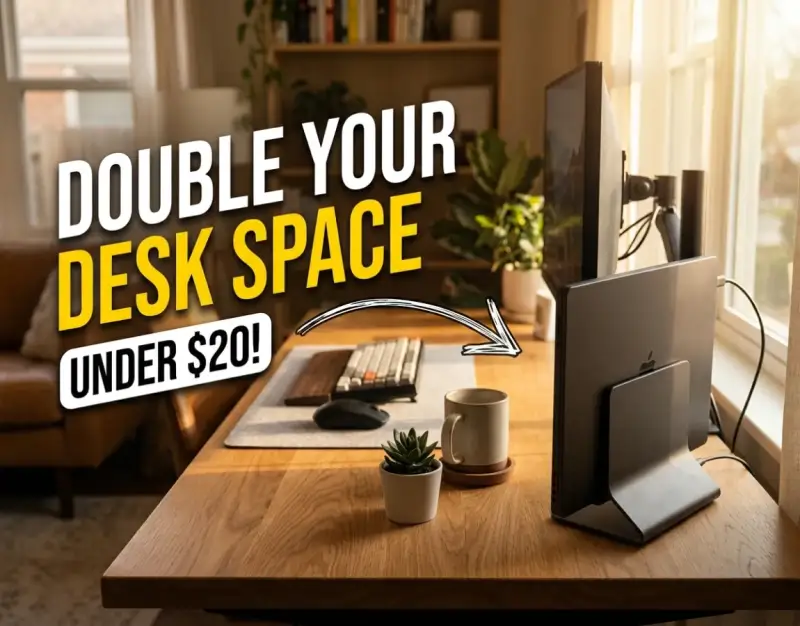
For decades, the modern home office and corporate desk have been defined by horizontal sprawl. Laptops, notebooks, external hard drives, coffee mugs, and peripherals battle daily for a finite amount of surface area, turning potentially productive environments into cluttered landscapes of digital fatigue. As remote work and hybrid schedules cemented themselves as permanent fixtures of professional life, the demand for ergonomic, clean, and efficient desk architectures skyrocketed. Yet, many of us continue to let our high-powered portable computers lie flat on our desks, occupying a massive footprint that actively works against our physical comfort and mental clarity.
The paradigm shift arrived quietly through the popularization of vertical ergonomics and the clever exploitation of modern operating system capabilities. By docking a laptop upright while it runs in closed-lid or clamshell mode, professionals have discovered an ingenious method to reclaim up to fifty percent of their working surface overnight. This evolution is not merely an aesthetic choice tailored for Instagram-worthy desk setups; it is a fundamental reconfiguration of spatial economics. When combined with an external monitor, a mechanical keyboard, and a precision mouse, a vertical configuration bridges the gap between the raw processing power of a laptop and the expansive ergonomics of a desktop workstation.
At Trwen Store, our investigative desk-setup desk audits revealed a striking truth: you do not need a four-figure budget to overhaul your daily computing environment. By deploying a well-engineered vertical laptop stand, utilizing a reliable clamshell mode setup, implementing strategies to save desk space, and curating a truly minimalist workspace, we doubled our usable desktop real estate for less than twenty dollars. This comprehensive, investigative guide walks you through the mechanical principles, strategic blueprints, real-world case studies, and advanced optimization techniques required to engineer your own high-performance desk transformation.
Foundational Principles & Mechanics of Vertical Ergonomics
Understanding why vertical desk configurations work requires examining the intersection of computer hardware design, thermal dynamics, and spatial physics. When a laptop sits flat on a desk, its entire bottom chassis acts as a footprint inhibitor. You cannot write on paper, review physical documents, or comfortably position your hands and wrists without fighting the physical boundary imposed by the machine's keyboard and screen assembly. Transitioning to an upright stance shifts the geometric footprint from horizontal area to vertical volume, freeing up your immediate line of sight and arm movements.
At the center of this transformation is clamshell mode—a native feature supported by macOS, Windows 10/11, and Linux desktop environments. When a laptop is connected to an external power source, an external display, and peripheral input devices, closing the lid does not put the machine to sleep; instead, it redirects the display graphics entirely to the external monitor. This allows the computer to run at maximum thermal efficiency and performance capacity while hiding completely inside a compact aluminum or reinforced polymer cradle. Maintaining a clean desk extends beyond digital efficiency, just as keeping physical hardware pristine requires tools like Cordless Electric Precision Scrubbers: 4 Cleaning Tools That Do the Hard Work to keep your workspace free from dust and debris.
Be the first to share a gentle reflection on this story.