In an era where the modern knowledge worker logs upwards of eight to ten hours a day planted firmly in front of a monitor, the physical toll exacted upon the human body is profound. The humble computer keyboard, once a mechanical novelty, has become the primary instrument of modern productivity. Yet, as our reliance on digital input has accelerated, the biomechanical strain placed on our wrists, hands, and forearms has escalated into a silent epidemic. Chronic microtrauma, repetitive strain injuries (RSIs), and carpal tunnel syndrome loom large over office workers, coders, writers, and digital creators alike. Addressing this pervasive workspace hazard requires more than just stretching; it demands a fundamental restructuring of our contact points with hardware through the deliberate implementation of an ergonomic wrist rest.
For decades, desk setups were designed around aesthetic minimalism and cost efficiency rather than human physiology. Keyboards sat flat or tilted away from the user, forcing the hands into unnatural hyperextension. This architectural oversight turns every keystroke into an isometric strain against tight tendons and compressed nerves. However, the ergonomics landscape has fundamentally shifted. Modern workplace wellness prioritizes dynamic support systems that harmonize with natural skeletal alignment. The integration of high-grade materials—ranging from dense memory foam to cooling gel matrices—has transformed simple desk accessories into sophisticated biomedical tools designed to protect your physical capital and eliminate the root causes of workspace fatigue.
This comprehensive guide delves deep into the biomechanics of wrist health, examining four exceptional supportive pads engineered to eliminate typing discomfort. Whether you are building out a streamlined command center, refining your setup with accessories like Custom Coiled Aviator Cables: The Aesthetic Upgrade Your Mechanical Keyboard Needs, or simply looking to upgrade your daily typing endurance, understanding the science of palm support is critical. By the time you finish reading this exhaustive analysis, you will possess the precise knowledge required to transform your workspace into an ergonomic sanctuary where typing fatigue is a relic of the past.
Understanding Biomechanical Strain and the Anatomy of Typing Fatigue
To truly appreciate the value of an ergonomic wrist rest, one must first understand the delicate architecture of the human wrist and hand. The carpal tunnel is a narrow, rigid passageway of bone and ligament at the base of the hand that houses the median nerve and nine flexor tendons. When your wrists are bent upward (extension), downward (flexion), or sideways (deviation) while typing, the available space inside this tunnel dramatically decreases. This mechanical compression irritates the median nerve, triggering numbness, tingling, shooting pain, and long-term musculoskeletal degradation.
Furthermore, standard typing postures often encourage users to hover their hands awkwardly or anchor their wrists improperly against hard desk edges. Hard desk corners act as fulcrums, exerting localized pressure directly on the soft tissue and superficial nerves of the wrist underside. Over thousands of keystrokes per day, this repeated friction and compression impairs localized blood circulation, starves tissues of vital oxygen, and accelerates the onset of chronic inflammation. Recognizing these structural vulnerabilities is the first step toward implementing proactive countermeasures in your daily desk routine.
The Physics of Neutral Wrist Alignment
Achieving a neutral wrist posture means maintaining a straight line from your elbow, through your forearm, across your wrist, and down to your knuckles. In this neutral state, the tendons glide smoothly through the carpal tunnel with minimal friction, and the median nerve experiences zero mechanical compression. When selecting a keyboard palm support, your primary objective is to bridge the vertical gap between your desk surface and the front lip of your keyboard, allowing your hands to rest at a flat, uncompromised angle.
It is a common misconception that wrist rests should be used to anchor the wrists aggressively while actively typing at high speeds. In professional ergonomic practice, a high-quality wrist rest actually functions primarily as a resting zone during pauses in transcription. Active typing should ideally involve floating the hands slightly above the keys while utilizing the rest solely for brief respites, or employing a lower-profile support that encourages the palms—rather than the sensitive carpal tunnel area—to bear the weight.
The Role of Material Science in Pressure Distribution
Not all wrist rests are created equal, and material composition dictates performance. Traditional foam rests often bottom out prematurely, failing to provide consistent rebound after weeks of heavy use. Modern ergonomic engineering utilizes advanced polymers, high-density memory foam, and gel-infused composites that dynamically distribute downward pressure across a wider surface area. By spreading the contact force, these materials eliminate pressure points and prevent localized blood flow restriction.
When evaluating memory foam wrist pads, look for density ratings that balance plush comfort with structural integrity. A pad that is too soft offers no real support, letting your wrists sink into an unnatural bend. Conversely, a pad that is too firm mimics the hard desk surface you are trying to escape. The ideal pad contours precisely to the unique geometry of your hands while providing firm, resilient upward feedback to maintain absolute neutral alignment throughout marathon typing sessions.
Strategic Evaluation of 4 Supportive Wrist Rests
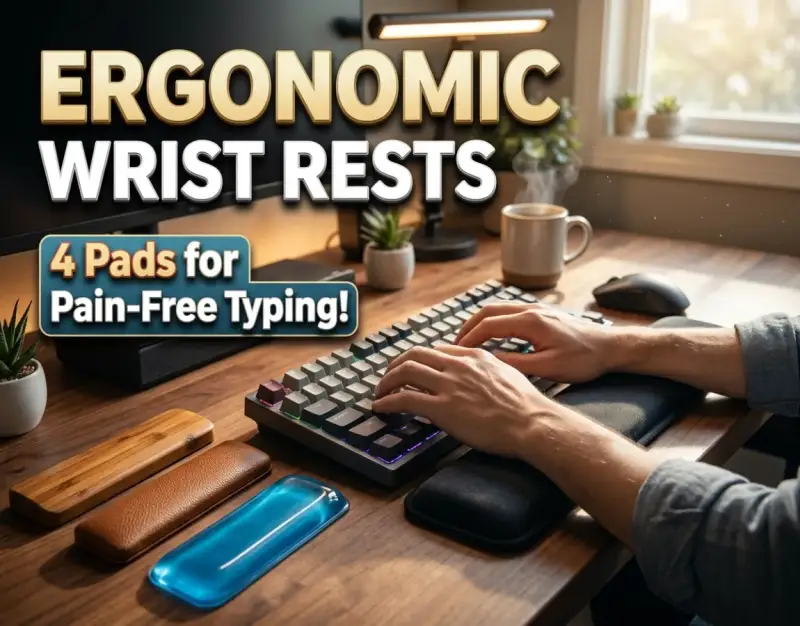
To assist you in selecting the ideal hardware for your workspace, we have rigorously tested and analyzed four distinct ergonomic wrist rest solutions. Each product approaches the challenge of preventing typing fatigue through a unique material and design philosophy, catering to different typing styles, keyboard form factors, and user preferences.
1. High-Density Memory Foam Contour Pads
The gold standard for general office productivity and long-form writing is the high-density memory foam contour pad. These rests feature a contoured channel carved into the top surface, designed to cradle the heels of the palms naturally. The memory foam reacts to body heat, softening where contact is made while maintaining supportive sidewalls that gently guide the hands into a centered position.
To maximize the longevity of a memory foam wrist pad, look for units wrapped in breathable, moisture-wicking fabrics rather than cheap faux leather that traps heat and sweat during intensive sessions. The contouring prevents your hands from sliding outward during rapid data entry, ensuring that your wrists remain aligned with the home row of your keyboard. This style is exceptionally effective for writers, administrative professionals, and casual gamers who require sustained, cloud-like comfort without sacrificing structural support.
2. Cooling Gel-Infused Ergonomic Rests
For users who run warm, struggle with sweaty palms, or engage in high-intensity typing environments like competitive gaming or high-frequency coding, cooling gel-infused rests represent a major technological upgrade. These pads typically combine a supportive foam base with an upper layer of advanced cooling gel that actively dissipates body heat away from the contact zones.
The thermodynamic properties of the gel provide an immediate, soothing sensation upon contact, preventing the clammy discomfort associated with standard synthetic desk accessories. Furthermore, gel-infused pads offer a slightly firmer tactile response than pure memory foam, making them ideal for users who prefer a solid, unyielding surface to anchor against during rapid keystrokes. Paired with a clean, minimalist aesthetic, these rests integrate seamlessly into modern, high-performance desk configurations.
3. Natural Solid Wood and Bamboo Ergonomic Slopes
While foam and gel dominate the soft-support category, a growing segment of ergonomic purists swears by natural solid wood and bamboo wrist slopes. These rigid accessories do not compress; instead, they provide a smooth, contoured incline that matches the precise angle of mechanical keyboards. By elevating the palms just enough to bridge the gap to the keycaps, they eliminate wrist extension entirely.
Solid wood rests shine in terms of hygiene and durability. Unlike fabric or foam, they do not absorb sweat, oils, or dust, making them exceptionally easy to sanitize. They also offer a completely stable, non-shifting foundation that never bottoms out or loses its shape over years of heavy use. For enthusiasts utilizing heavy mechanical keyboards, a matching wooden palm support delivers a cohesive, premium aesthetic while promoting pristine ergonomic posture.
4. Ergonomic Bean-Filled and Micro-Bead Palm Supports
The fourth category caters to dynamic work environments where users frequently shift positions, adjust seating angles, or require adaptable support. Bean-filled and micro-bead palm supports utilize loose internal filling enclosed in a flexible, durable fabric casing. This allows the rest to physically shift and mold itself to the exact contours of your hands in real time.
While micro-bead rests offer less rigid structural guidance than memory foam or wood, their primary advantage lies in customizability. Users can fluff, flatten, or bunch the internal fill to create a bespoke support profile that accommodates unconventional keyboard layouts, split ergonomic boards, or variable desk heights. They are exceptionally forgiving for individuals with hypermobile joints or unique hand geometries who find standard molded rests restrictive.
Advanced Ergonomic Integration and Desk Setup Optimization
Purchasing a top-tier ergonomic wrist rest is only half the battle; how you integrate it into your broader workspace architecture determines your ultimate success in preventing typing fatigue. Ergonomics is a holistic science where every component—from your chair height and monitor placement to your keyboard angle and mouse posture—interacts to dictate your physical well-being.
Begin by evaluating your seating posture. Your office chair should be adjusted so that your feet rest flat on the floor, with your knees forming a comfortable 90-to-100-degree angle. Your elbows should bend at a similar right angle when your hands rest upon the home row. If your chair is too low, you will naturally hike your shoulders and strain your wrists upward to reach the keys, rendering even the finest wrist rest ineffective.
Harmonizing Keyboard Height and Desk Geometry
The relationship between your desk surface, keyboard height, and wrist rest must be meticulously calibrated. Ideally, your keyboard should sit low enough that your forearms slope downward slightly or remain perfectly parallel to the floor. If your desk is fixed at a standard, non-adjustable height that forces your elbows upward, consider utilizing an under-desk keyboard tray that allows you to position your keyboard and wrist rest at an optimal lap-level height.
When placing your wrist rest, position it directly flush against the front lower edge of your keyboard. There should be no gap between the keyboard chassis and the rest, as a gap encourages your fingers to stretch awkwardly and your wrists to bridge empty space unsupported. Ensure the rest spans at least the width of your typing area so that your hands remain supported whether you are typing standard alphanumeric characters or reaching for outer function and modifier keys.
The Golden Rule of Dynamic Movement and Micro-Breaks
Even with the most advanced memory foam wrist pad on the market, static loading is the enemy of musculoskeletal health. The human body was engineered for movement, not for holding a fixed position for eight consecutive hours. Therefore, mastering the psychological and physical habit of dynamic movement is essential for long-term comfort.
Implement the 20-20-20 rule for your hands and wrists: every twenty minutes of continuous typing, pause for twenty seconds, drop your hands to your sides, shake out any accumulated tension, and perform gentle, active stretches. Rotate your wrists in slow, deliberate circles, extend your arms with palms facing forward, and gently pull your fingers back to stretch the forearm flexors. Combining these micro-breaks with your supportive hardware ensures that your circulatory system remains active and your tendons stay supple.
Real-World Case Studies: Success vs. Failure in Workspace Ergonomics
To illustrate the tangible impact of implementing proper ergonomic strategies, let us examine two contrasting real-world scenarios drawn from professional digital environments.
Case Study A: The High-Output Developer Who Overcame Carpal Tunnel Symptoms
Marcus, a senior software engineer logging 10 hours daily in front of multiple monitors, began experiencing severe nocturnal paresthesia—waking up with numbness and stinging pain in his thumb, index, and middle fingers. Diagnosed with early-stage carpal tunnel syndrome, Marcus faced the daunting prospect of medical intervention and potential career disruption. Instead, he conducted a complete ergonomic audit of his workstation.
Marcus identified three critical failures in his setup: a flat, high-profile mechanical keyboard without palm support, a chair positioned too low forcing his wrists into constant extension, and a rigid wooden desk edge that bit into his forearms. His remediation strategy was comprehensive: he installed an adjustable under-desk keyboard tray, raised his seating position to achieve a 90-degree elbow bend, and integrated a high-density memory foam contour pad.
Within three weeks of disciplined implementation—utilizing the rest solely for brief resting pauses and incorporating hourly micro-stretches—Marcus reported a 75% reduction in nocturnal numbness. By month three, his symptoms had completely resolved, proving that early intervention paired with proper supportive hardware can reverse the trajectory of repetitive strain injuries.
Case Study B: The Content Creator Who Ignored Biomechanical Warnings
Conversely, consider the trajectory of Sarah, a prolific digital content creator and writer. Facing aggressive deadlines, Sarah purchased a visually striking, ultra-thin mechanical keyboard and placed it directly on a high glass desk without any wrist support or ergonomic adjustments. Ignoring early warning signs of aching forearms and stiffness, she powered through her workload for six months.
Without a palm support to bridge the height gap, Sarah's wrists were forced into persistent hyperextension. Her fingers strained upward, and the hard glass edge of her desk exerted constant pressure on her soft tissues. By month six, acute tendonitis in her right wrist forced her into a complete three-week typing hiatus, resulting in missed deadlines, substantial financial loss, and mandatory physical therapy.
Sarah's failure underscores a vital lesson: aesthetic minimalism should never supersede human biomechanics. Treating ergonomics as an afterthought rather than a foundational requirement invariably leads to physical burnout and diminished productivity.
Critical Mistakes to Avoid When Using Wrist Rests
Navigating the world of workspace ergonomics requires vigilance against common misconceptions and improper usage patterns. Here are the top five costly mistakes practitioners make when utilizing wrist rests, along with actionable countermeasures to keep you pain-free.
- Mistake 1: Anchoring the wrists aggressively during active typing. Resting the weight of your hands heavily on the wrist rest while your fingers fly across the keys locks your wrists in place, forcing your fingers to stretch unnaturally and increasing tendon friction. Countermeasure: Float your hands slightly above the keyboard while typing, using the wrist rest strictly as a resting platform during pauses.
- Mistake 2: Choosing an incorrect height profile. Using a thick, oversized wrist rest with a low-profile keyboard—or vice versa—forces your wrists into severe flexion or extension. Countermeasure: Match the height of your palm support precisely to the front lip of your keyboard chassis to maintain a perfectly flat, neutral line.
- Mistake 3: Neglecting material hygiene and maintenance. Failing to clean fabric or foam wrist rests allows sweat, dead skin cells, and natural body oils to accumulate, breaking down the foam matrix and creating a breeding ground for bacteria. Countermeasure: Select removable, washable covers or wipe down solid surfaces weekly with antibacterial, non-abrasive cleaners.
- Mistake 4: Relying solely on hardware to cure poor posture. Assuming that buying an expensive memory foam pad exempts you from maintaining proper chair height, monitor positioning, and overall body posture. Countermeasure: View your wrist rest as part of an integrated ecosystem; ensure your chair, desk, and screen align with holistic ergonomic standards.
- Mistake 5: Ignoring the warning signs of cumulative trauma. Pushing through sharp pain, numbness, or tingling under the assumption that it will simply go away on its own. Countermeasure: Treat early discomfort as an immediate diagnostic trigger to review your workspace setup, adjust your habits, and consult a medical professional if symptoms persist.
Comparative Analysis of Ergonomic Wrist Rest Types
To help you weigh your options at a glance, the following comprehensive comparison table details the material composition, primary advantages, ideal user profiles, and maintenance requirements for each major category of ergonomic wrist support.
| Wrist Rest Category | Material Composition | Primary Advantage | Ideal User Profile | Maintenance Requirement |
|---|---|---|---|---|
| High-Density Memory Foam | Viscoelastic polyurethane foam with fabric cover | Exceptional contouring and pressure distribution | Writers, administrative staff, general office workers | Spot clean cover regularly; check foam degradation annually |
| Cooling Gel-Infused Pad | Supportive foam base topped with thermal cooling gel | Active heat dissipation and firm tactile feedback | Gamers, programmers, users prone to sweaty palms | Wipe clean with damp cloth; avoid sharp objects |
| Solid Wood & Bamboo Slopes | Solid hardwoods (Walnut, Maple, Bamboo) | Unmatched durability, stability, and easy sanitization | Mechanical keyboard enthusiasts, minimalists | Dust regularly; occasionally condition with mineral oil |
| Micro-Bead / Bean-Filled | Flexible fabric casing filled with micro-beads or beans | Infinite adjustability and moldable support profile | Users with unique hand geometries or split keyboards | Hand wash exterior casing; inspect seams periodically |
Frequently Asked Questions
Should my wrists touch the wrist rest while I am actively typing?
No. In proper ergonomic practice, your wrists should hover slightly above the keyboard while your fingers strike the keys. The wrist rest is designed to support the heels of your palms or your lower wrists only during natural pauses in typing. Pressing your wrists down heavily while typing restricts tendon movement and increases pressure inside the carpal tunnel.
How do I know if my wrist rest is the correct height for my keyboard?
Your wrist rest is the correct height if your hands form a straight, unbroken line from your elbow, through your forearm and wrist, to your knuckles when your palms rest upon it. If your fingers must reach upward at an angle to hit the home row, your rest is too high or your keyboard is too low. If your wrists bend downward over the front edge, your rest is inadequate.
Can a wrist rest completely cure carpal tunnel syndrome?
While an ergonomic wrist rest is a vital tool for reducing mechanical pressure and preventing repetitive strain injuries, it is not a medical cure for advanced carpal tunnel syndrome. If you are experiencing persistent numbness, tingling, or radiating pain, you should consult a qualified healthcare professional or ergonomic specialist for a comprehensive diagnosis and treatment plan.
How often should I replace my memory foam wrist pad?
High-density memory foam pads typically maintain their structural integrity and rebound properties for 18 to 36 months under heavy daily use. If you notice that the foam has compressed permanently, no longer springs back when you lift your hands, or develops deep indentations that fail to recover, it is time to replace the unit to ensure continued ergonomic protection.
Are wooden wrist rests too hard for comfortable typing?
While solid wood and bamboo rests lack the squishy, plush feel of foam or gel, they are not uncomfortable when used correctly. Because they are designed to support the heels of your palms rather than the sensitive carpal tunnel area, their rigid, contoured incline provides stable support that aligns the wrist naturally without causing pressure points.
Strategic Roadmap and Final Takeaway
As we look toward the future of workspace design over the next two to five years, the convergence of biometric monitoring, smart furniture, and advanced material science will continue to redefine how we protect our physical health. We are already seeing the emergence of smart desks with integrated posture sensors and adaptive ergonomic accessories that dynamically adjust to your fatigue levels in real time. However, the foundational principles of human biomechanics remain immutable: protecting your hands requires mindfulness, proper alignment, and the deliberate use of supportive hardware.
Your immediate next step is to conduct a thorough self-audit of your current desk setup. Evaluate your seating posture, check the vertical alignment of your keyboard, and assess whether your current contact points are causing hidden microtrauma. By investing in a high-quality ergonomic wrist rest tailored to your specific workflow—whether you prefer the cloud-like contour of memory foam, the thermal relief of cooling gel, or the rugged stability of solid wood—you are making a profound investment in your long-term health, productivity, and professional longevity. Banishing typing fatigue is entirely within your control; start optimizing your workspace today.
Be the first to share a gentle reflection on this story.