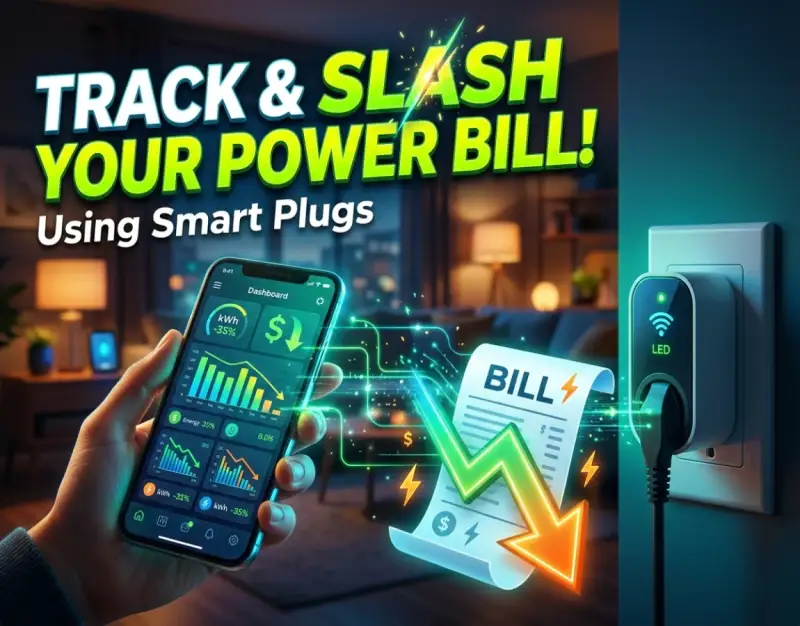
The modern household is an intricate ecosystem of continuous electrical consumption. From the refrigerator humming quietly in the corner to the entertainment consoles sitting idly in standby mode, electricity flows invisibly, quietly compounding into jaw-dropping utility bills at the end of every month. For decades, homeowners and renters alike have been left utterly in the dark regarding precisely where their hard-earned money is going. Traditional utility meters mounted on the exterior of a home offer only a macro-level overview, providing a generalized monthly total that fails to pinpoint which specific devices are financial sinkholes. This lack of granular data has historically rendered energy conservation a game of blind guesswork.
However, a seismic shift is underway in the realm of residential home automation. Driven by advancements in Internet of Things (IoT) sensors, real-time data processing, and miniaturized metering hardware, consumers now possess unprecedented visibility into their domestic power consumption. At the vanguard of this revolution is the humble yet remarkably powerful Smart Plant Monitors: The Gadget That Keeps Your Indoor Houseplants Alive ecosystem's close cousin: the specialized connected sensor. Far beyond simple remote-control switches that turn lights on and off, modern metering plugs feature internal high-precision microchips capable of measuring voltage, current, power factor, and cumulative kilowatt-hours in real time. These devices bridge the gap between abstract utility costs and tangible, room-by-room, device-by-device accountability.
The core thesis of this comprehensive guide is simple yet transformative: by systematically deploying a smart plug energy monitor, you can demystify your household electricity consumption, eliminate insidious vampire power draws, and aggressively reduce power bill expenses without sacrificing your modern standard of living. Throughout this deep dive, we will explore the underlying physics and engineering of these devices, walk through a step-by-step strategic blueprint for maximizing their utility, examine real-world case studies, and equip you with the insider expertise needed to run an airtight, hyper-efficient digital home. Whether you are seeking to minimize your carbon footprint or simply claw back hundreds of dollars in annual utility expenditures, the tools and methodologies detailed below will redefine how you interact with electricity.
Foundational Principles and Mechanics of Electrical Monitoring
To truly master the art of energy reduction, one must first comprehend the fundamental physics governing household electricity. Residential power is typically delivered as Alternating Current (AC). In North America, this standard operates at approximately 120 volts, while much of Europe and international markets utilize 230 volts. Power—measured in watts (W)—is calculated as the product of voltage (volts) and current (amperes), modified by a phase angle known as the power factor. When an appliance operates continuously over time, its consumption is measured in kilowatt-hours (kWh), which serves as the fundamental metric upon which utility companies calculate your monthly statement.
Understanding Real-Time Wattage vs. Cumulative Kilowatt-Hours
When investigating a smart plug energy monitor, you will frequently encounter two distinct metrics: instantaneous wattage and cumulative kilowatt-hours. Instantaneous wattage tells you exactly how much power an appliance is drawing at that precise second. For instance, when a modern LED television is turned on, its wattage might register at 120W. Conversely, cumulative kilowatt-hours represent the total volume of energy consumed over an extended duration. If that same television remains on for ten hours, it consumes 1.2 kWh of energy. Grasping this distinction is vital because certain appliances draw massive amounts of power for very short durations, while others draw modest amounts continuously over days and weeks.
Advanced Desk Mat XXL: Why Every Modern Workspace Needs a Full-Surface Pad setups and office electronics often blur these lines, hiding significant energy drains in plain sight. By monitoring both instantaneous spikes and cumulative totals, you can identify anomalies that would otherwise remain completely invisible. For example, a refrigerator compressor cycling erratically due to a failing door seal will show unusual cumulative spikes over a 24-hour monitoring window, alerting you to maintenance issues long before total mechanical failure occurs.
The Anatomy of a Smart Metering Plug
Unlike standard wireless relays, a true energy-monitoring smart plug incorporates specialized semiconductor components known as energy metering integrated circuits (ICs). These chips sample the electrical waveform thousands of times per second, calculating true RMS (Root Mean Square) voltage and current. This high-frequency sampling ensures that even non-linear loads—such as switched-mode power supplies found in computers, phone chargers, and LED drivers—are measured with astonishing accuracy, often within a margin of error of less than one percent.
Furthermore, these devices integrate low-power Wi-Fi, Zigbee, or Z-Wave radio transceivers to transmit the gathered telemetry data to local home automation hubs or cloud servers. This seamless communication layer allows homeowners to review live dashboards, set up automated push notifications, and execute conditional logic routines based entirely on power consumption thresholds. The hardware functions as an unyielding sentinel, guarding your electrical budget 24 hours a day, 7 days a week.
Step 1: Selecting and Auditing Your Home Appliances
The first practical phase in your energy-reduction journey involves identifying prime candidates for monitoring. Not every appliance in your home warrants a dedicated monitoring plug; resources should be strategically deployed where the highest return on investment (ROI) can be achieved. Start by conducting a thorough visual and operational audit of your living space, categorizing electronic devices into high-drain, phantom-drain, and negligible-drain tiers.
Identifying High-Drain Heavy Hitters
High-drain appliances are typically heating, cooling, or motor-driven devices that require substantial electrical current to function. Space heaters, window air conditioning units, dehumidifiers, full-sized refrigerators, and clothes irons represent the heavy artillery of household electricity consumption. When selecting a smart plug energy monitor for these applications, you must verify the maximum amperage and wattage rating of the plug itself. Standard consumer smart plugs are typically rated for 15 amps (approximately 1,800 watts at 120V). Plugging a heavy-duty 1,500-watt space heater into a cheap, unrated adapter can lead to severe thermal degradation and potential fire hazards.
When auditing these devices, ensure you purchase industrial-grade or high-amperage smart plugs specifically certified for continuous high-load operations. Document the baseline operational hours of each high-drain appliance before making any behavioral changes. This establishes a clear control group against which future efficiency gains can be accurately measured.
Uncovering Stealthy Vampire Power Loads
Beyond active heating and cooling, a massive portion of residential waste stems from "vampire power"—the insidious electricity consumed by electronics while they are turned off or sitting in standby mode. Gaming consoles, audio-video receivers, desktop computer peripherals, smart speakers, and microwave clocks draw a continuous trickle of power to remain ready for instant activation. Individually, a 3-watt phantom draw seems trivial. However, when multiplied across thirty or forty devices throughout a modern home, this parasitic load can easily account for up to 10% of an annual residential electricity bill.
Deploying energy-monitoring plugs behind entertainment centers is one of the most effective ways to unmask these hidden culprits. Configure your companion mobile app to track standby draws over a 48-hour period where the equipment is not actively used. The resulting cumulative data will frequently shock you, providing all the motivation needed to implement automated cutoff schedules.
Step 2: Hardware Deployment and Network Integration
Once you have identified your targets and acquired the appropriate metering hardware, the physical installation and digital integration phase begins. Doing this correctly ensures data integrity, reliable wireless connectivity, and absolute electrical safety. Rushing this step often leads to dropped signals, inaccurate logging, and frustrating troubleshooting sessions.
Safe Physical Installation Practices
Begin by inspecting the wall outlets where your smart plugs will reside. Ensure the receptacle is firmly anchored to the wall box and that the faceplate is secure. When plugging in your monitoring device, push it firmly until it seats completely against the outlet face. Never daisy-chain smart plugs or insert them into ungrounded two-prong adapters, as this compromises the internal grounding pathway required for safe high-amperage current handling.
For appliances that require frequent movement—such as Compact Travel Steamers: 4 Pocket Wrinkle Removers for Frequent Flyers or portable grooming tools used occasionally—avoid permanent smart plug installations. Instead, reserve your monitoring plugs for stationary, fixed-location electronics where the physical connection remains undisturbed for weeks or months at a time.
Establishing Robust Wireless Connectivity
Because energy-monitoring plugs constantly transmit real-time telemetry packets back to your router or local smart home hub, stable wireless connectivity is non-negotiable. If your Wi-Fi signal is weak in the garage, basement, or remote corners of your home, your power logs will suffer from intermittent gaps and missing historical data.
- Dedicated IoT VLANs: If your router supports multiple SSIDs, place your smart plugs on a dedicated 2.4GHz IoT network. This prevents network congestion and enhances overall home cybersecurity.
- Mesh Network Placement: Ensure a mesh router node is located within reasonable proximity to heavy energy-monitoring clusters, such as the laundry room or utility closet.
- Local Control Protocols: Whenever possible, integrate plugs that support local execution protocols like Zigbee, Z-Wave, or Matter over Wi-Fi. This ensures your energy tracking and automation routines continue functioning seamlessly even if your internet service provider experiences an outage.
Step 3: Calibration, Cost Mapping, and Currency Configuration
Hardware installation is only half the battle; the software interface is where raw electrical data is translated into actionable financial intelligence. Most companion applications—whether native manufacturer apps like Kasa and Tapo or advanced automation ecosystems like Home Assistant and Apple Home—require manual calibration to accurately reflect your unique financial situation.
Inputting Local Utility Rates
To truly understand how much money your appliances are consuming, your smart plug application must know the exact cost per kilowatt-hour ($/kWh) charged by your regional electric utility provider. Open your app's settings menu and navigate to the energy or billing configuration section. Input your exact tiered or flat-rate pricing.
If your utility provider utilizes Time-of-Use (TOU) pricing—where electricity is significantly more expensive during peak afternoon and evening hours (e.g., 4:00 PM to 9:00 PM) and remarkably cheap during off-peak overnight hours—configure these specific time blocks within the application. This allows your smart plug energy monitor to calculate financial impact based not just on *how much* power was used, but *when* that power was drawn.
Establishing Baselines and Tolerance Thresholds
With accurate cost mapping established, run your monitored appliances through a standard weekly cycle. Review the daily reports generated by the software. Establish a normal operating baseline for every monitored device. For instance, if your chest freezer normally consumes 1.5 kWh per day, set up a notification alert that triggers if daily consumption exceeds 2.2 kWh. This functions as an early-warning system for mechanical inefficiencies, refrigerant leaks, or failing compressor components before they result in spoiled food or catastrophic breakdown.
Step 4: Automating Reductions and Eliminating Waste
Data without action is merely trivia. Once you have accumulated enough data to understand your household's usage patterns, it is time to leverage that information through intelligent automation. Modern smart home platforms allow you to create dynamic routines that actively reduce power bill expenses without requiring manual intervention.
Executing Time-Based and Condition-Based Schedules
One of the most powerful applications of smart metering data is the creation of automated power-shedding schedules. For example, if your home entertainment system draws 40 watts of standby power while sitting idle, configure your smart plug to completely sever power to the entire media center between 1:00 AM and 6:00 AM when everyone is asleep.
Similarly, utilize power-drop triggers to automate accessory shutdowns. If your desktop computer's power draw drops below 10 watts (indicating it has entered sleep mode), configure the smart plug controlling your external monitor, desk speakers, and peripheral charging docks to shut off automatically after a 15-minute delay. This eliminates parasitic draw entirely during periods of inactivity.
Leveraging Peak-Hour Avoidance Strategies
For homeowners operating under Time-of-Use utility rate structures, strategic automation can yield massive financial savings. Program heavy energy-consuming appliances—such as dehumidifiers, electric water heaters, and EV chargers—to run exclusively during off-peak overnight hours when electricity rates are at their lowest. By shifting your heavy electrical load away from peak afternoon windows, you can dramatically track electricity usage patterns and optimize your utility billing tier without altering your daily lifestyle habits.
Step 5: Long-Term Data Analysis and Continuous Optimization
Energy management is not a one-time project; it is an ongoing practice of continuous improvement. As seasons change, family dynamics evolve, and new appliances are introduced into your home, your electrical consumption profile will shift. Maintaining long-term efficiency requires regular data audits and iterative adjustments.
Reviewing Monthly Trends and Seasonal Shifts
At the conclusion of each month, export the historical CSV logs or review the long-term charts provided by your smart home ecosystem. Compare your smart plug totals against your official utility company bill to verify meter accuracy and identify unexplained discrepancies. Notice how heating loads spike during winter months or how air conditioning runtime dominates summer billing cycles.
By analyzing these seasonal trends year-over-year, you can make highly informed decisions regarding home insulation upgrades, HVAC servicing schedules, and major appliance replacements. Armed with precise empirical data, you can shop for new appliances based on real-world efficiency rather than manufacturer marketing claims.
Real-World Case Studies & Scenarios
To illustrate the practical efficacy of smart plug energy monitoring, let us examine two contrasting household scenarios involving energy management.
Scenario A: The Unoptimized Household (The Blind Approach)
The Johnson family noticed their monthly electricity bill creeping steadily upward, reaching over $320 per month for a standard 2,000-square-foot suburban home. Frustrated, they attempted to reduce costs by simply reminding everyone to turn off room lights when leaving. After three months of nagging and behavioral changes, their utility bill dropped by a paltry $8. Disillusioned, they concluded that modern home energy management was ineffective.
The Mistake: The Johnsons focused exclusively on lighting—which accounts for a minor fraction of modern electrical consumption—while completely ignoring invisible high-drain appliances and phantom loads lurking in the living room and utility closet. Without data, their efforts were misdirected.
Scenario B: The Data-Driven Ecosystem (The Strategic Approach)
The Martinez family faced identical utility cost pressures. Instead of guessing, they invested in a pack of four energy-monitoring smart plugs. They installed them on the home entertainment center, the basement dehumidifier, the guest bedroom space heater, and the home office computer rig.
Within forty-eight hours, the companion app revealed startling revelations:
- The home entertainment center was drawing 55 watts of phantom power 24/7, costing over $55 annually just to sit turned off.
- The basement dehumidifier was running continuously due to an improper humidity setpoint, consuming nearly $40 a month in unnecessary electricity.
- The guest bedroom space heater had been accidentally left on low for three consecutive days while the room was vacant.
By implementing automated cutoff schedules for the entertainment center, adjusting the dehumidifier's humidistat, and setting strict operational timers for the space heater, the Martinez family slashed their monthly power bill by $68—recouping the cost of their smart plugs within the first six weeks of deployment.
Critical Mistakes and How to Avoid Them
Even seasoned tech enthusiasts occasionally stumble when deploying energy-monitoring hardware. Avoiding these five critical mistakes ensures a safe, accurate, and financially rewarding home automation experience.
| Mistake | The Consequence | The Correct Countermeasure |
|---|---|---|
| Overloading Standard Plugs | Thermal overload, melted housing, severe fire hazard. | Always verify maximum amp/watt ratings; use heavy-duty or industrial-rated smart plugs for space heaters and high-draw appliances. |
| Ignoring Standby Power | Unnoticed parasitic drains bleeding hundreds of dollars annually. | Audit entertainment centers and computer setups with monitoring plugs to expose hidden vampire loads. |
| Failing to Input Local Rates | Inaccurate financial dashboards displaying meaningless raw wattage. | Manually input your exact $/kWh utility rate and configure Time-of-Use pricing tiers in your companion app. |
| Relying Solely on Cloud Connectivity | Lost historical data and failed automations during internet outages. | Prioritize local control communication protocols like Zigbee, Z-Wave, or Matter over Wi-Fi. |
| Treating Monitoring as One-Time | Missed seasonal efficiency shifts and deteriorating appliance performance. | Review monthly data logs regularly and adjust automation routines as your household usage evolves. |
Frequently Asked Questions
Do smart plugs consume electricity themselves while monitoring?
Yes, smart plugs do require a minuscule amount of electrical power to keep their internal Wi-Fi radios and metering microchips operational. Typically, a modern smart plug consumes between 0.5 to 1.5 watts of power continuously. However, the financial cost of operating the smart plug itself is negligible—usually amounting to less than $1.50 per year. When used effectively to uncover and eliminate tens or hundreds of dollars in household energy waste, the net financial return is overwhelmingly positive.
Can a smart plug monitor power for an entire room or circuit?
No. Standard smart plugs are designed to monitor individual appliances plugged directly into them. They cannot measure the total aggregate electrical load of an entire room or wall circuit. If you are looking to track whole-home electricity consumption or monitor high-draw heavy circuits like an electric oven or central air conditioner, you will need to look into whole-home electrical energy monitors that install directly inside your main electrical breaker panel.
Are smart plug energy monitors compatible with solar panel systems?
Standard plug-level monitors are designed primarily to track consumption (loads drawing power from the grid). They generally do not measure back-feeding or power generation from residential solar panels. If you have solar panels and wish to monitor net generation versus consumption, specialized solar inverter monitoring systems or whole-home circuit-level monitors with bidirectional current clamps are required.
How accurate are the power readings on consumer smart plugs?
Reputable consumer smart plugs equipped with dedicated energy-metering integrated circuits boast high levels of accuracy, typically within 1% to 2% of professional lab-grade multimeters. While they may not match the extreme calibration standards of certified commercial utility revenue meters, they are more than precise enough to pinpoint energy waste, track consumption trends, and calculate accurate financial impacts for residential budgeting.
Will disconnecting power via a smart plug damage sensitive electronics?
For most modern consumer electronics—such as televisions, sound bars, chargers, and LED lamps—severing power via a smart plug relay is completely safe. However, devices with active operating systems that require proper shutdown procedures—such as desktop computers, Network Attached Storage (NAS) drives, and smart home hubs—should never have their power abruptly cut while running. Doing so can lead to file corruption or operating system instability. Always ensure computers are fully shut down before cutting power upstream.
Strategic Roadmap and Final Takeaway
As residential energy costs continue to fluctuate and environmental awareness takes center stage, taking proactive control of your home’s electrical consumption is no longer just a hobbyist pursuit—it is a fundamental pillar of modern smart living. The integration of precision metering hardware into your daily domestic routine transforms electricity from an invisible, frighteningly unpredictable monthly expense into a transparent, quantifiable resource under your absolute command.
Looking ahead over the next two to five years, the convergence of AI-driven home automation, standardized protocols like Matter, and hyper-efficient IoT sensors will make energy monitoring even more seamless. Predictive algorithms will soon anticipate your usage patterns automatically, optimizing your power draw without requiring manual schedule configuration. By deploying a smart plug energy monitor today, mastering your home's unique electricity profile, and aggressively eliminating phantom loads, you future-proof your household against rising utility costs while embracing a smarter, more sustainable way to live.
Be the first to share a gentle reflection on this story.